Ask your onX Hunt questions here!

some of us still prefer american vehicles, thank-you-very-much
Some of us prefer supporting viable companies that didn't rely on government bailouts, thank you for your attention to this matter.

Serious question, "American" vehicles don't have Apple Carplay or Android Auto? No wonder Toyota and Honda have overtaken so much of the auto market in my lifetime.
 
Samsung mini pad (android) offline Waypoints. A couple of times now, my waypoints vanish when tab turned on - "content" is empty. For example, yesterday, turned on my pad, launched OnX Hunt and no waypoints/content. Half way through the day, they all of a sudden appeared. Turn the pad off and later, turned back on, no waypoints/content.
Not the first time this happened. What's going on?
 
Samsung mini pad (android) offline Waypoints. A couple of times now, my waypoints vanish when tab turned on - "content" is empty. For example, yesterday, turned on my pad, launched OnX Hunt and no waypoints/content. Half way through the day, they all of a sudden appeared. Turn the pad off and later, turned back on, no waypoints/content.
Not the first time this happened. What's going on?
Sorry for the trouble there! Can you send our customer support team an email? It will be easier for us to troubleshoot this issue that way. Our email address is [email protected].
 
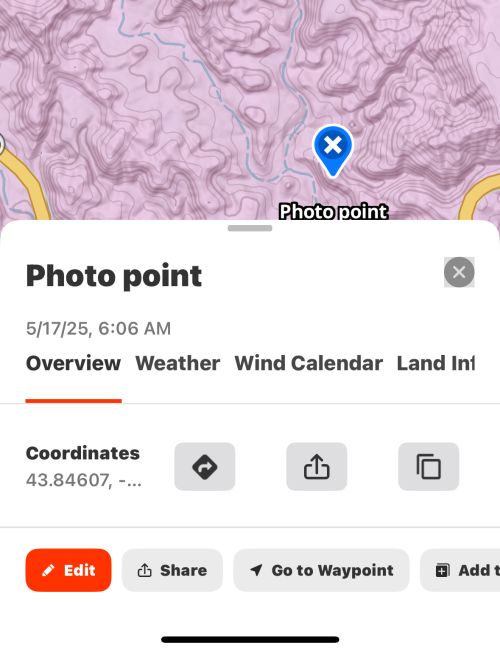
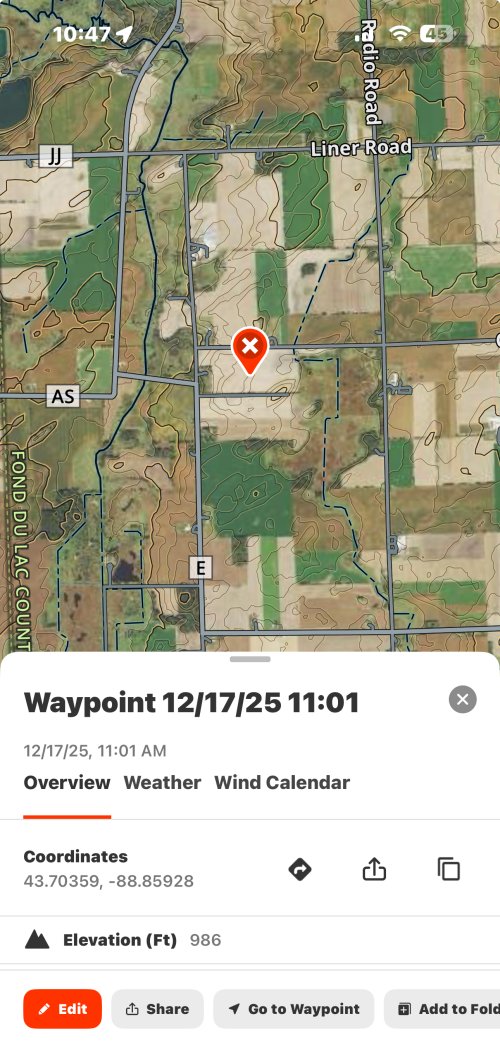
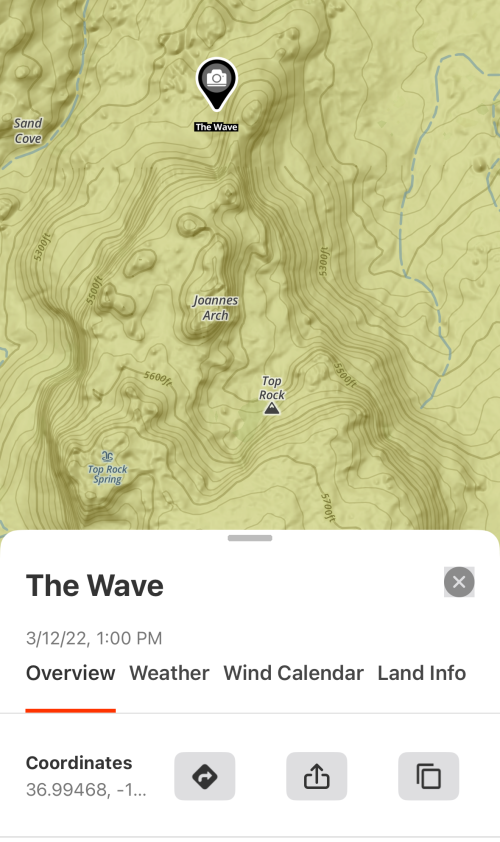
I am probably missing something simple when using onX on iPhone.

Iirc, I used to be able to “tap” on a point I created and the lat/long info would be included. It still is on my computer, but on my phone I only can view the latitude and one digit of the longitude. The info box is small, so I thought I could expand it by “tapping”, but no luck. Any recommendations
1766188272484.png
 
I am probably missing something simple when using onX on iPhone.

Iirc, I used to be able to “tap” on a point I created and the lat/long info would be included. It still is on my computer, but on my phone I only can view the latitude and one digit of the longitude. The info box is small, so I thought I could expand it by “tapping”, but no luck. Any recommendations
View attachment 396465


Works for me. I would guess you have extra large font or other text size setting on your phone that onx can’t handle correctly.

IMG_6504.jpeg
 
Good suggestion, but that didn’t do the trick for me. Smallest text size I could do in settings. Probably something else I am doing stupid.

1766211462389.png
 
Good suggestion, but that didn’t do the trick for me. Smallest text size I could do in settings. Probably something else I am doing stupid.

View attachment 396489
This is likely caused by a setting called "Show Borders." Turning that off should make your coordinates visible again. Phone Settings> Accessibility> Display & Text Size> Shut off Show Borders
 
I’m experiencing lag when I use the compass/rangefinding mode as well as the directional cone.

What’s odd is that after a minute or so of pointing the phone in different directions, it corrects itself.

I wondered if the magnets in my Marsupial harness caused the issue.Amd I realized I also have magnets in the pockets of my blaze vest and magnets in my glomittens.

To test, I used both features, with no gear on and I still had the same moment of lag before it eventually oriented in the proper direction.

Maybe it’s just “first world problems” and it takes a second.

FWIW, I’ve noticed a similar lag when I use my Apple Compass to confirm that trail cams are facing the preferred direction.
 
Losing detail with offline maps: this has happened twice to me now on android (in one week). My offline maps lose detail, such as landownership, roads, topography and border lines. For example, the blm lands are "squiglish" splotches.
Yesterday, out in the middle of nowwhere, happened again. Went to the nearest town, found a wifi hotspot and both updated and synced offline maps. The map quadrant for the area I was in returned to normal, but when I drove out of it this same splotching/lack of detail once again occurred.

Now at home, I once again updated/synced the offline maps. Everything looks ok...I did the same thing earlier in the week and thought everything was fixed until yesterday. Same situation

Cause(s)? Fix(es)?

EDIT: just realized that my offline maps somehow got un-downloaded. How would this of happened?


I went through each map and re-downloaded...everything is fine. What does "sync" and "update all" do? tried both and no fix. Pretty hard to re-download maps out in field with no wifi

 
Last edited:
I’m experiencing lag when I use the compass/rangefinding mode as well as the directional cone.

What’s odd is that after a minute or so of pointing the phone in different directions, it corrects itself.

I wondered if the magnets in my Marsupial harness caused the issue.Amd I realized I also have magnets in the pockets of my blaze vest and magnets in my glomittens.

To test, I used both features, with no gear on and I still had the same moment of lag before it eventually oriented in the proper direction.

Maybe it’s just “first world problems” and it takes a second.

FWIW, I’ve noticed a similar lag when I use my Apple Compass to confirm that trail cams are facing the preferred direction.
If you are seeing a lag with your Apple Compass, a lag with the onX compass is to be expected. onX pulls data from the onboard Apple Compass and mirrors that data in the onX App. You can try to calibrate your compass on your device, in some instances, this can rectify lagging and inaccuracy issues. For the steps to calibrate your compass, check out this article: https://support.onxmaps.com/hc/en-u...y-compass-is-inaccurate-or-not-working-at-all
 
Losing detail with offline maps: this has happened twice to me now on android (in one week). My offline maps lose detail, such as landownership, roads, topography and border lines. For example, the blm lands are "squiglish" splotches.
Yesterday, out in the middle of nowwhere, happened again. Went to the nearest town, found a wifi hotspot and both updated and synced offline maps. The map quadrant for the area I was in returned to normal, but when I drove out of it this same splotching/lack of detail once again occurred.

Now at home, I once again updated/synced the offline maps. Everything looks ok...I did the same thing earlier in the week and thought everything was fixed until yesterday. Same situation

Cause(s)? Fix(es)?

EDIT: just realized that my offline maps somehow got un-downloaded. How would this of happened?


I went through each map and re-downloaded...everything is fine. What does "sync" and "update all" do? tried both and no fix. Pretty hard to re-download maps out in field with no wifi

Sorry about the trouble there! From your message, it sounds like your offline maps were removed/un-downloaded from your device. There are a couple of ways this can happen:

First, if you get a new device, the maps that you had saved on your previous device do not automatically transfer over. Unlike waypoints and other map markups, offline maps are not synced to the cloud, they are saved directly on your device's storage, so that is why they do not automatically transfer over. The same holds true if you ever remove the onX Hunt app from your device and then redownload it. After redownloading the app, you'll need to download your offline maps again.

Second, you may have removed those maps from your device. In your offline maps menu, if you tap the three dots to the right of an offline map, you'll see the option to "Remove from Device." Users often do this to free up space on their phone.

An easy way to check if your maps are ready to go is to look and see if they have a green check mark next to them. That green check mark indicates the map is downloaded on that device and is ready to go. If the map has a black and white arrow next to it, that means you need to download the map to your device before you're able to use it while offline. We recommend downloading maps when you have a good, strong wifi signal.

"Sync" means that you're syncing your offline maps with any offline maps you may have saved on another device. For example, if you save an offline map on a tablet, those maps won't immediately be shown in the offline map list on your phone. Tapping sync will get those maps to show in the list. From there, you're able to download that map data to your phone.

"Update All" allows you to update all of your downloaded maps with one click instead of clicking on each individual map and downloading the updates that way.

 
Thanks much, OnX! I think what happened was, I was gone for a week and my Samsung Galaxy Tab A9 updated itself and some how/some way turned on & off components of some of my apps (including OnX). When I got back home, I had a heck of a time getting the GPS to work. The Tab A9, even when off (but connected to wifi) can turn itself back on to update.

I"ll double check the app at home before I hit road for next trip
 
I recently won an Elite membership through a raffle. My current Elite membership is up in March, how do I go about switching the payment to the gift card? I played around on the site and couldn't figure it out. I am sure its something easy.

Thanks in advance.
 

Forum statistics

Threads
118,005
Messages
2,176,626
Members
38,413
Latest member
Boone55
Back
Top