


Nice evening at the “range”

brockel

Well-known member
Joined
May 13, 2016
Messages
6,495
Location
Baker,MT
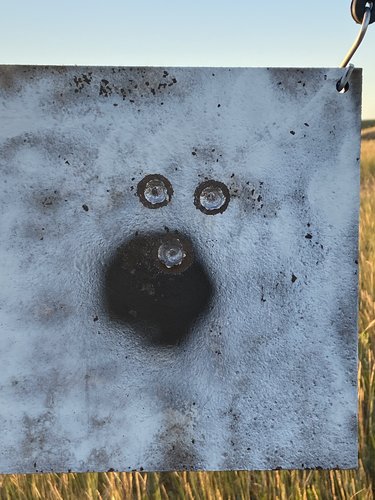
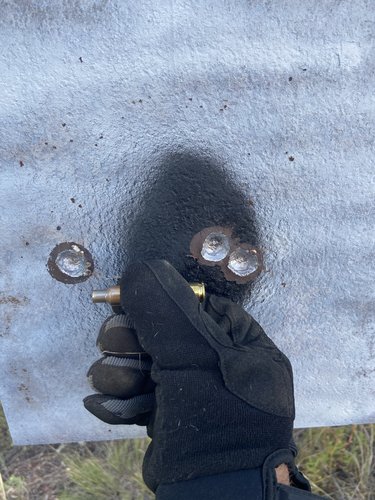
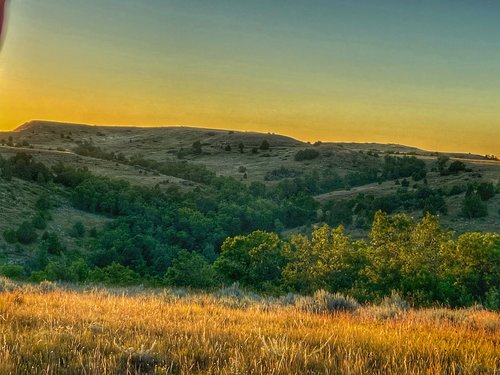
Kids are at my parents for a few days so the wife and I went out for an evening of shooting. We’ve got targets on all the little ridges from 300-700 yards. Makes for a little more realistic shooting as there is constant wind changes through the draws. We had a 5-10mph inconsistent wind from right to left so had to watch the grass at the targets and in between. Wife is shooting a tikka 7mm-08 with 150 grain ballistic tips and I’m shooting 6.5 Sherman with 156 grain Berger.
1AE35490-3550-4507-B907-485E99D81B28.jpeg
C6302913-5CD7-4B5E-809E-E688EF38D257.jpeg
Wife’s 500 yard group.

EFFB2A2B-8216-4B78-90F9-AFDB07F2AA9D.jpeg
My Sherman at 700 yards.

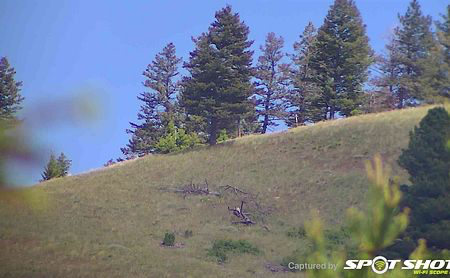
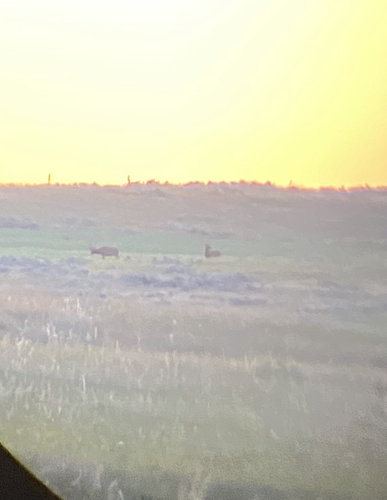
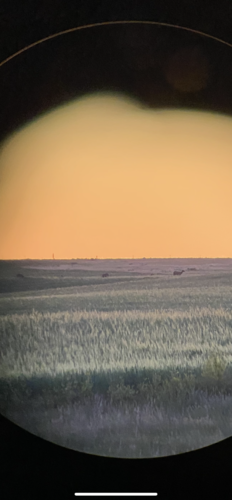
After the range session we went on a little scouting trip and found some eastern Montana elk. There was probably 35 elk total in this field with a couple really nice 6points that I couldn’t get picture through spotting scope fast enough with cell phone. Need to get a phone scope 4126158D-5DAC-448A-8693-488B8A4DFBE4.jpeg
B079E7F0-D63D-4B9D-8BC8-66F443A5A737.png
 
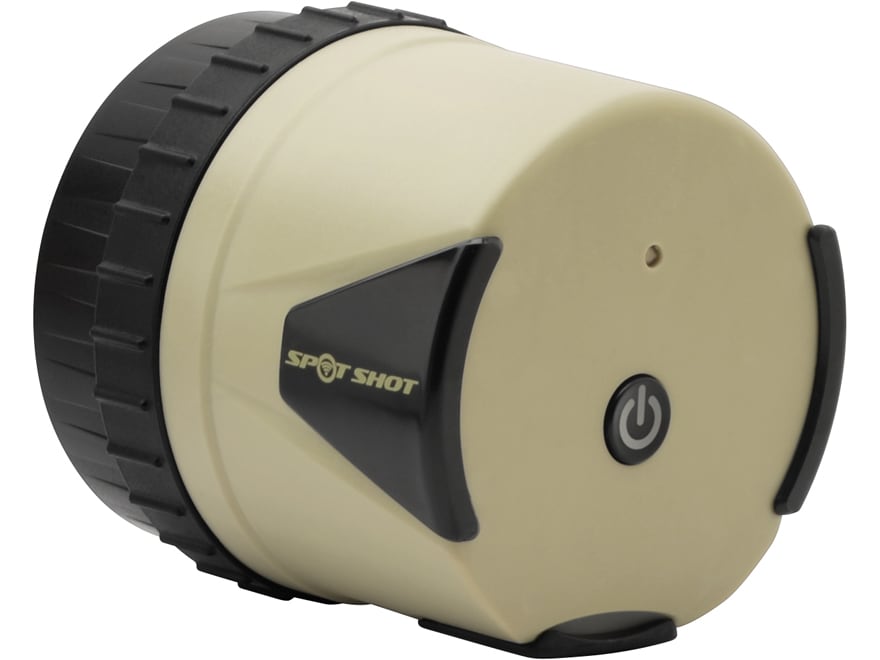
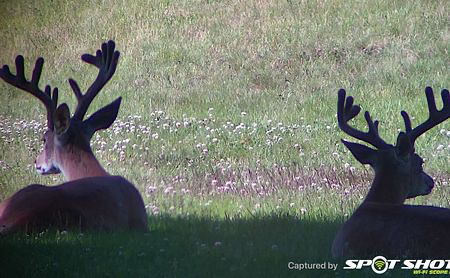
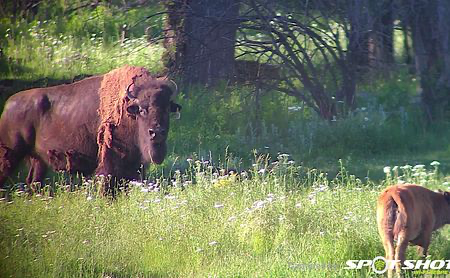
You might look into the Spot Shot as well. I purchased it for a couple of reasons and so far I really like it. The Spot Shot will attach to probably all of or 98% of spotting scopes and you don't have to try and look at the phone on the scope and then try and focus and also touch the screen for a picture while trying not to move the scope. The Spot Shot sends a wifi signal to a free app you load onto your phone. Your phone stays in your hands. You look at the picture on the phone while you focus the spotting scope. Once you are focused you take a picture on your phone just as you normally would, or a video if you choose. I think it's pretty slick.

Had to add this. Your buddies, family, etc can load the same Spot Shot app on their phones too and they can open the app to get the signal and several people can all be looking at the same thing in the spotting scope without having to fight over it. They can take pictures or video also if they so choose. I have not done it yet, but I know when I'm shooting at the range it's kind of a pain to lean over so I can try and see my bullet holes in the spotting scope without upsetting my shooting set-up and getting out of position. With this I can focus on the target with the spotting scope and set my phone right next to me on the bench. I will see what the spotting scope is focused on, the target and where my bullets are striking. You could video at the same time and depending on the conditions you possibly record the vapor trail and the impacts on the target.
Nice shooting too!

David
 
Last edited:
You might look into the Spot Shot as well. I purchased it for a couple of reasons and so far I really like it. The Spot Shot will attach to probably all of or 98% of spotting scopes and you don't have to try and look at the phone on the scope and then try and focus and also touch the screen for a picture while trying not to move the scope. The Spot Shot sends a wifi signal to a free app you load onto your phone. Your phone stays in your hands. You look at the picture on the phone while you focus the spotting scope. Once you are focused you take a picture on your phone just as you normally would, or a video if you choose. I think it's pretty slick.

Nice shooting too!

David
Does it go on and come off easy from the scope?
 
Does it go on and come off easy from the scope?
Yes is simple and fast to get it mounted. With the phone scope you have to buy another adapter if you should change or upgrade your phone, and same with using it on someone else's spotting scope. The phone scope attachment is meant to work on maybe at the most one or two different spotting scopes, so if you want to use your phone scope and attach it to a buddies spotter, you have to have the correct adapter for that particular scope.

The thing is rechargeable and is supposed to hold a charge for 8-10 hours of steady usage. I have been using mine playing with it off and on since I got it and it has not needed charged again. I purchased a small generic padded container for large drink containers to keep it stored in with the charging cord. I thought that would work great in my pack to help protect if from being banged up and from moisture. I also was able to see the image in my phone and take a picture of myself when I was standing 82 yards away from my spotting scope with the Spot Shot attached. This thing's pretty slick.
 
Last edited:
1.1 miles to my deck to this ridge top verifying distance with On X maps. 15-30x50mm Leupold Gold Ring scope.

1595911291284.png

94 yards across the street from my yard.

1595911406016.png

Think this was about 150 yards if I remember correctly. Sorry I didn't mean to change the post subject.

1595911492771.png
 
I also like the fact that you can stream it to an iPad as well as a phone which gives you a much larger screen. It’s great for range shooting - take a shot and glance over at the iPad. No need to move from your shooting position or stick your head into the scope after your shot. I have noticed that it does not provide as large of a field of vision as looking directly through the eyepiece. I’ve tried adjusting the eye relief on the scope, but it’s still showing only about 60-70% of what you see through the eyepiece.
 
Now that's cool! Thanks @6mm Remington . Plotting begins for the obvious, yet not intentionally obvious hints for the Queen... :)
Always here to help other members....................spend more money on stuff! $74.00 for this is about what I was looking at what it would cost for the attachment for my phone using the phone scope and the spotting scope attachment as well.
 
Always here to help other members....................spend more money on stuff! $74.00 for this is about what I was looking at what it would cost for the attachment for my phone using the phone scope and the spotting scope attachment as well.
Does it record sound or just video?
 
Does it record sound or just video?
You know I'm not sure. If you talk in your video's you normally take with your phone you can hear what's being said. I would think that it works the same way. I'll have to try to video for you guys and see if that is true. I'll get back to you all later on that.
 
Good shooting. Nothing like a lot of confidence going in you gun going into the hunting season
 
You know I'm not sure. If you talk in your video's you normally take with your phone you can hear what's being said. I would think that it works the same way. I'll have to try to video for you guys and see if that is true. I'll get back to you all later on that.
Just tried it videoing and it does not record your voice. I'll have to research a bit and see if I'm not doing all I can to get it to work.
 
Just tried it videoing and it does not record your voice. I'll have to research a bit and see if I'm not doing all I can to get it to work.
I don’t think it records sound - it would need an integrated mic for that and I don’t see one on it. Your phone has nothing to do with it since it’s actually recording things on the scope cam and then just streaming the output to your mobile device.
 
Well I ordered one tonight. Be here middle of next week.
Nice, let me know what you think.

When you first get it plug it in with the charging cord to get a full charge on the battery in it. It will take just a couple hours because there is "some" charge on the battery.

On your app selection on your phone select the Spot Shot app. There are two Spot Shot apps actually. One for the basic model that I got and one for the model that has the view finder screen on the back of the Spot Shot unit. I don't grab the spot shot to change the power, use your power ring just as you normally would. I spoke to a guy who has that one and he said just like with having your phone scope attached with the scope the phone screen is hard to see at different angles. I'm just guessing you purchased the one that I showed in the clips.

You will see how simple it is to attach to your scope right off. Very simple to do. Turn the unit on and then go to your settings on your phone and click on the WiFi. You will see the Spot Shot WiFi shown as an option. Click on that so your are viewing that way. Then get out of settings and go to where you saved the Spot Shot on the screen. Click on that and it will ask you if you want to connect. Click on connect. You should start seeing images on your phone right away.
One thing I forgot to add is the fact that besides saving pictures on your phone, the Spot Shot also records and saves these images. You can delete them if you wish. That's kind of a neat feature. If you have a shadow on the side of the image on your phone it's simply that the Spot Shot unit is sightly askew on the spotting scope. Just straighten it out to be in line with the scope and all will be good again.

I'll add this. On my scope the focus is on the right side and the power setting is on the eye piece. When you turn it with the Spot Shot attached, it's still easy to change power settings. The Spot Shot unit will turn with the power setting knob. Not a big deal. The back of the spot shot unit has a power button and right above it when the power is turned on, a green light is visible. Just turn the back of the unit so that the green light is directly above the power button and your image will show correctly in your phone and it won't be turned. So if you see the images on your phone sideways that's all it takes to correct that. The power button is a delay type so that you have "less of a chance" of accidentally turning it on just by bumping the power button. You have to push and hold it for a few seconds before it turns on or turns off.
 
Last edited:

Forum statistics

Threads
117,845
Messages
2,171,325
Members
38,370
Latest member
spur60
Back
Top