

Navigation
Install the app
How to install the app on iOS
Follow along with the video below to see how to install our site as a web app on your home screen.
Note: This feature may not be available in some browsers.
More options

You are using an out of date browser. It may not display this or other websites correctly.
You should upgrade or use an alternative browser.
You should upgrade or use an alternative browser.
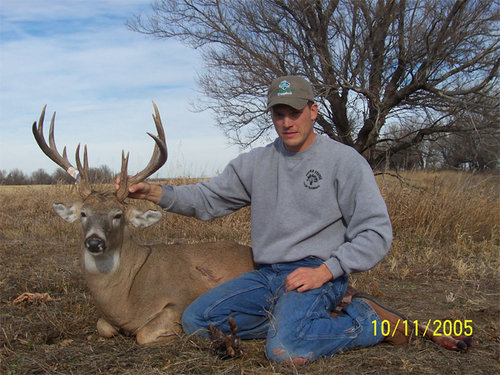
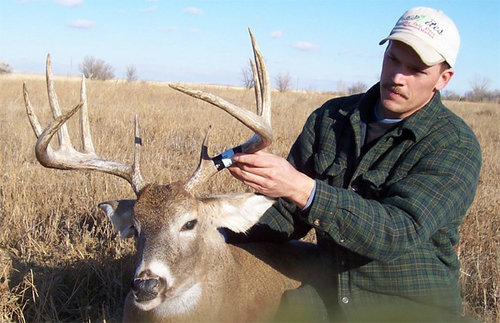
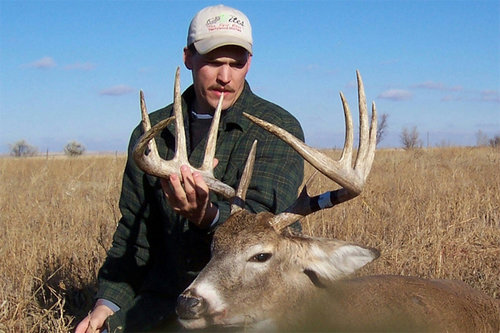
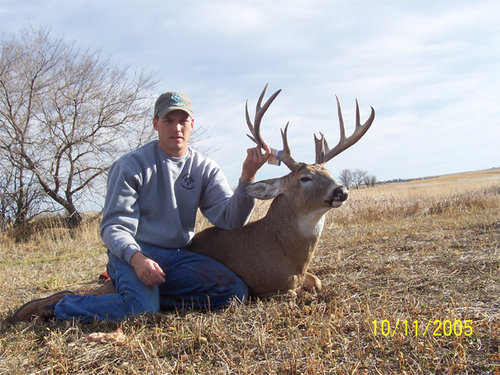
2005 ND buck
- Thread starter WestND
- Start date

csutton7
Active member
very nice--job well done---chris

Ridge Runner
New member
Great looking buck. Congrats.

MarvB
Well-known member
Nice bucks...love those splits!! Whoa mon- thought those buggers were in the room with me on this 22" screen LOL.

DRAFTSTUD
Well-known member
Great Deer! We have some of those split browtine genes running around our area. WTG. John


Horn Seeker
New member
I HATE dial up. I"m sure those are nice bucks, congrats!
smalls
Well-known member
mtmiller said:You are from the wrong Dakota, but at least you are on the right side.
Miller, where do you come up with such tomfoolery? You can have Mt. Rushmore and Wall Drug, while I visit the worlds largest cow.

I monkey'd around before I sent them to try downsize them.....I went through this last year too but nobody really told me how to do it...whats the quickest way for someone to do it. I've had a computer for 6 years so I know a thing or 2 but can't seem to simply downsize the pics....Frustrating . Any step by step fixes? Thanks
I generally do it with a photoshop type application. Do you have something along the lines of Adobe Photoshop or one of the digital camera photo manipulators like Olympus Camedia Master? If you do there is generally a resize function. Then you just save the pic at the new size and re-upload.
If you have one of these programs, tell me which one and I can probably run you through it or at least tell you how to find out on your own.
If you have one of these programs, tell me which one and I can probably run you through it or at least tell you how to find out on your own.
Thanks , I'll do some screw'n around with it and see what I can do. Oh the Rut has petered out now in my neck of the woods. A few flurries of activity but the bucks are taking it easy I think after all that work. Haven't seen any good ones all week.
If you mean Adobe Photoshop then it's a breeze. Open the picture in photoshop. Then under the drop-down file <Image>, choose <resize>. After that you just choose the size you want the picture to be. For example, I chose a consistant 9 inches wide for your photos. Just make sure you have <constrain proportions> checked off or you could end up really short and squat or stretched out.
After you are done manipulating the photo, resave it. I generally use the same original file name but just add something like an R to the end of it for Resize. There you go, smaller pic.
After you are done manipulating the photo, resave it. I generally use the same original file name but just add something like an R to the end of it for Resize. There you go, smaller pic.